TL;DR
You build an automated client journey by mapping the ten stages a person moves through, from first finding you to staying in touch, and then letting a connected system carry out the routine steps between them. A client journey should not depend on you remembering every follow-up. Automate the repeatable parts: confirmations, reminders, welcome emails and review invitations. Keep the consultation, clinical judgement and sensitive conversations in your hands. Build it in three passes, starting with the path from enquiry to booking, so that something useful is working within days, not months.
It is Friday afternoon. Your last client has just left.
And then you remember. Someone enquired on Tuesday. You meant to reply between appointments, and the week got away from you.
You write a warm, thoughtful reply. You are fairly sure it is too late.
Nothing about that is a failure of care. It is a failure of design. The journey depended on your memory, in a week when your memory was busy looking after people.
What is an automated client journey?
An automated client journey is the path a person takes from first hearing about your practice to becoming a returning client, with the routine steps along the way carried out for them without you having to remember. You design it once. After that, it runs quietly in the background while you see clients.
Every practice already has a client journey. People find you, make contact, book and come in. The only question is whether the steps in between happen reliably, or only when you have time.
Most of the people who drift away do so in the gaps between tools, not because of anything you said or did.
A client journey should not depend on the practitioner remembering every follow-up step.
What are the ten stages of a client journey?
The ten stages are discovery, website visit, enquiry, contact record, welcome and follow-up, booking, reminders, consultation, review and follow-up, and staying in touch. Nine of them can be supported by automation. One of them, the consultation, is entirely yours.
| Stage | What happens | Who does it |
|---|---|---|
| 1. Discovery | Someone finds your practice through Google, social media, a referral or an article | Your content and listings |
| 2. Website visit | They land on a page that speaks to their situation | Your website |
| 3. Enquiry | They ask a question, download a guide or request more information | Them |
| 4. Contact record | Their details are recorded in one place, automatically | Automated |
| 5. Welcome and follow-up | Helpful emails or text messages arrive, with a clear next step | Automated |
| 6. Booking | They choose an appointment time online | Them |
| 7. Reminders | A confirmation and a reminder go out | Automated |
| 8. Consultation | You deliver the care they came for | You |
| 9. Review and follow-up | A thank-you and a neutral invitation to leave a review | Automated |
| 10. Staying in touch | A newsletter, a program or an occasional update, with their consent | Automated, in your words |
Look at the right-hand column. Your name appears once, at stage eight. Everything else exists to bring the right people to that moment, and to look after the relationship once it is over.
Ten stages. One of them is yours.
Discovery
Website visit
Enquiry
Contact record
Welcome and follow-up
Booking
Reminders
Consultation
YouReview and follow-up
Staying in touch
The rest carries people to that moment.

What should be automated, and what should stay human?
Automate what is routine, repeatable and the same for everyone. Keep human whatever calls for judgement, care or a personal response. If a step would be done identically for a hundred people, it is a candidate for automation. If it depends on who the person is, it stays with you.
| Automate | Keep human |
|---|---|
| Confirming that an enquiry or form was received | Clinical judgement |
| Booking confirmations and reminders | Personalised care |
| Welcome emails for new enquiries | Sensitive conversations |
| Neutral review invitations | Clinical recommendations |
| Routine follow-up | Complex or unusual questions |
| Keeping contact records up to date | Professional oversight of everything sent in your name |
| Occasional updates to past contacts, with consent | Relationship-building, wherever it matters |
Automation is not a way of caring less. It is a way of making sure the small things happen, so your attention is free for the things that only you can do.
Two safeguards belong in every automated journey. Every message is written in your voice and checked against health advertising rules before it is switched on. And a reply from a real person always comes to you. If someone answers an automated email with a question, a human answers it.
One more line worth drawing. An automated journey looks after marketing and communication. Clinical notes and client health records stay in your practice management software.
Automate the routine. Keep the care.
Automate
Keep human
If it is the same for everyone, automate it.
The gap between being a skilled practitioner and running a thriving practice isn't about natural talent. It's about learnable systems. That's what I'm passionate about teaching.
How do you build an automated client journey, step by step?
Build it in three passes, not all at once. First the spine, from enquiry to booking. Then the welcome, for people who are not ready to book. Then the after-care, for people who have already been in. Each pass is useful on its own, so you benefit from the first before starting the second.
Pass one: the spine, from enquiry to booking
This is the part that stops enquiries going quiet, so it comes first.
- An enquiry form on your website that creates a contact record.
- An instant acknowledgement, in your voice, with a link to book.
- An online booking calendar connected to the same record.
- A booking confirmation, and a reminder before the appointment.
With only this in place, no enquiry waits until Friday.
Pass two: the welcome, for people who are not ready
Many visitors are interested but not ready to book. Give them a smaller step.
- A free guide on a topic your ideal clients care about.
- A short welcome series of helpful emails, sent over a couple of weeks.
- A gentle invitation to book at the end, with no pressure.
These emails only go to people who have asked for the guide and agreed to hear from you, and every one of them has an easy way to opt out.
Pass three: the after-care, for people who have been in
The journey does not end when the consultation does.
- A thank-you message after a first visit.
- A neutral invitation to leave a review, with no incentive offered.
- A regular newsletter worth reading.
- An occasional update for people who have not been in for a while.
Here is an illustrative example. Picture a herbalist who builds only pass one this month. Next month she adds a free guide and a welcome series. The month after, a thank-you and a review invitation. By the end of the quarter the whole journey is running, and at no point did she have to stop seeing clients to build it.
Build it in three passes
The spine
The welcome
The after-care
Each pass is useful on its own.
What should each automated message say?
Each message should do one job, sound like you and offer one clear next step. Short is better than thorough. A message that tries to say everything usually leaves the reader unsure what to do.
| Message | When it is sent | Its one job |
|---|---|---|
| Enquiry acknowledgement | Straight away | Let them know you have received it, and when you will reply |
| Booking confirmation | When they book | Confirm the time, place and what to bring |
| Reminder | Shortly before the appointment | Make it easy to turn up or reschedule |
| Welcome series | Over a couple of weeks after a guide download | Be useful, and introduce how you work |
| Thank-you | After a first visit | Acknowledge them and say how to get in touch |
| Review invitation | A few days later | Invite a review, neutrally, with no incentive |
| Occasional update | Now and then | Let past contacts know what is new |
Three rules apply to all of them. Write the way you speak. Make no promises about health outcomes. And never send marketing messages to someone who has not agreed to receive them.
Where does AI fit into an automated client journey?
AI can help you write the messages faster and set up the automations more easily. It can also help answer routine questions from website visitors. It does not design the journey, and it has no part in clinical care.
Automation follows rules you have set: when this happens, send that. AI adds help with the words and the set-up, such as drafting a welcome email from your notes for you to edit.
In PractitionerPro, the automations are standard. AI tools are optional extras, set up on request. I have written a fuller guide to AI marketing for naturopaths.
Curious what your own gap looks like?
Our free Marketing Gap Calculator gives you a quick picture of the bookings your practice may be missing when follow-up relies on memory. It takes a couple of minutes.
How does PractitionerPro build this journey for you?
PractitionerPro builds all three passes for you on one connected system: your website, contact records, booking calendar, emails, text messages and automations. It is designed to automate the repetitive parts of the client journey, so you can stay focused on the parts that need expertise, care and human judgement.
PractitionerPro runs on HighLevel, also called GoHighLevel, an established platform that holds every stage of the journey in one place. On its own, that platform is a powerful, empty workshop. You would still have to design the journey and write every message.
We do that part with you. One live session captures your story, your clients and your voice. We then write your website, your free guide and your welcome emails, check them against advertising rules, and build and test the journey before it goes live.
If you would like to go deeper on the pieces, I have written about what a CRM for natural health practitioners should do, and about turning your website into a client acquisition system.
You do not need another piece of software. You need a practice-growth system that has already been designed around how natural health practitioners work.
How do you map your own client journey this week?
Write the ten stages down the side of a page and, for each one, note what happens in your practice today and whether it is automatic, manual or missing. The stages marked manual or missing between enquiry and booking are where to start.
This takes about twenty minutes:
- 1
List the stages. Copy the ten stages from the table above.
- 2
Describe today. Next to each, write what happens in your practice right now.
- 3
Mark each one. Automatic, manual or missing.
- 4
Find the first gap. Look between enquiry and booking first. That is your pass one.
- 5
Decide what stays human. Circle any step you want to keep doing personally, and keep it.
- 6
Choose one thing. Pick a single manual step to automate this month. One is enough.
| Stage | What happens now | Automatic, manual or missing |
|---|---|---|
| 3. Enquiry | ||
| 4. Contact record | ||
| 5. Welcome and follow-up | ||
| 6. Booking | ||
| 7. Reminders | ||
| 9. Review and follow-up | ||
| 10. Staying in touch |
You do not have to fix everything. You only have to find the next step, and take it.
Map your client journey in 20 minutes
List the stages
Describe today
Mark each one
Find the first gap
Decide what stays human
Choose one thing
I've learnt that the most successful practitioners aren't necessarily the most talented clinically. They're the ones who understand that helping people find you is just as important as helping them heal.
Frequently asked questions
Can you map and automate my client journey for me?
Yes. Book a Free Practice Review. I look at your website and Google Business Profile before we talk, then we walk through the ten stages for your practice and see which could be automated and which should stay with you. It is a relaxed 30-minute conversation with no obligation.
How long does it take to build an automated client journey?
With PractitionerPro, your website and journey are usually live about six weeks after your Blueprint session, provided we both keep to the review steps along the way. If you are building it yourself, start with pass one, which is the smallest and most useful part.
Will automated messages make my practice feel impersonal?
Not if they are written well. Every message is written in your voice and approved by you. Most people simply experience a practice that replies promptly and remembers them. Anything personal or sensitive is still handled by you.
Do I need to automate all ten stages at once?
No. Build in three passes: enquiry to booking first, then a welcome for people who are not ready, then after-care. Each pass is useful on its own.
What happens if someone replies to an automated message?
Their reply comes to you, in one inbox with your other messages, and you answer it personally. Automation sends the routine message. It never handles the conversation that follows.
Does an automated client journey replace my practice management software?
No. Your practice management software stays as it is, and your clinical notes and client health records stay in it. The automated journey looks after your website, enquiries, bookings, newsletters and follow-up.
Would you like your client journey mapped and automated?
If your map shows more manual steps than you would like, I would be glad to go through it with you.
Book a Free Practice Review
See how PractitionerPro can simplify your practice marketing system. I will look at your website and Google Business Profile before we speak, then we will map your client journey together and see which steps PractitionerPro could automate for you.
It is free, it is friendly, and there is no obligation.
Warmly,
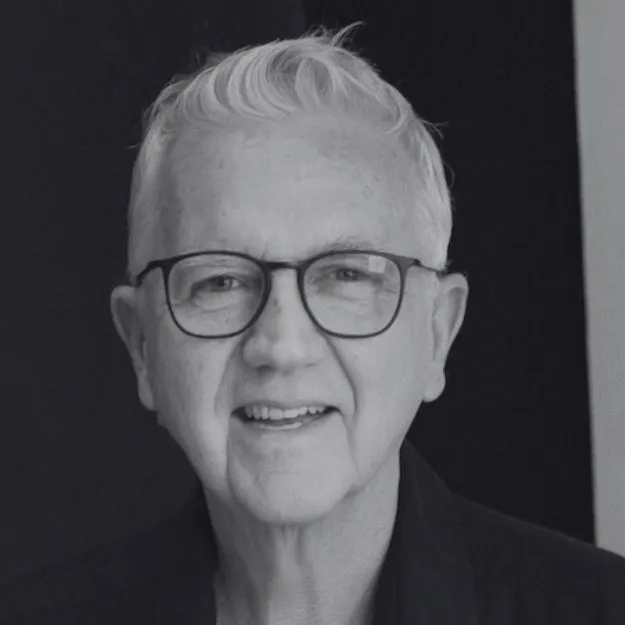
James BurginFounder, PractitionerPro and Thriving Practitioners. Former naturopath, clinic owner and creator of Metaphysical SEO.
About The Author
James Burgin
Founder, PractitionerPro and Thriving Practitioners
James is a naturopath turned digital marketer with 35+ years helping natural health practitioners get found by the people they trained to help. He founded Thriving Practitioners, a community and education platform for practitioners across Australia and New Zealand, and PractitionerPro, the practice growth platform built by practitioners, for practitioners. He lives in Bondi, Sydney.